When you restructure your website, move content, or simply update URLs, it’s easy to overlook a critical step: implementing proper redirects. Missing redirects for old slugs or moved pages can silently erode your search engine rankings, frustrate users, and waste valuable link equity. In the ever-evolving landscape of web performance and SEO, ensuring a seamless transition for every URL change is more crucial than ever.
What’s the Problem? The 404 Abyss

The core issue arises when old URLs, which may have been indexed by search engines or linked to by other websites, no longer point to valid content. Instead, they lead to a 404 Not Found error page. This isn’t just an inconvenience; it’s a digital dead end that signals to both users and search engines that your site is poorly maintained or broken.
Why Missing Redirects Are Hurting Your Site in 2025/2026
The impact of missing redirects extends far beyond a simple error message. In today’s competitive online environment, where user experience and technical SEO are paramount, these issues can severely undermine your website’s performance:
- Degraded User Experience: Users encountering 404 pages are likely to leave your site, increasing bounce rates and negatively impacting engagement metrics. This directly affects how search engines perceive your site’s quality.
- Wasted Link Equity: External websites linking to your old URLs are essentially sending their valuable
link equity into a black hole. These backlinks, which could be boosting your SEO, are rendered useless. - Crawl Errors and Indexing Issues: Search engine crawlers encountering numerous 404s will flag these as errors, potentially leading to a reduced crawl budget and slower indexing of your new, valuable content. This can directly impact your visibility in search results.
- Negative Impact on Search Rankings: Google and other search engines prioritize websites that offer a good user experience and are technically sound. A high number of 404 errors can signal a neglected site, leading to a drop in search rankings.
- Loss of Organic Traffic: If users can’t find the content they’re looking for, they’ll go elsewhere. This directly translates to a loss of organic traffic, potential customers, and revenue.
How to Identify Missing Redirects: Your Digital Detective Toolkit
Proactively identifying and fixing missing redirects is crucial. Here’s how to check for this problem:
- Google Search Console (GSC): This is your first line of defense. Regularly check the Coverage report for 404 errors. GSC will show you which URLs Google tried to crawl but couldn’t find.
- Website Crawlers (e.g., Screaming Frog, Sitebulb): Tools like Screaming Frog SEO Spider or Sitebulb can crawl your entire website and identify broken internal links. This helps you catch issues before search engines or users do.
- Analytics Tools (e.g., Google Analytics 4): Monitor your analytics for traffic directed to 404 pages. While GSC shows what crawlers find, analytics reveals what actual users are encountering.
- Backlink Analysis Tools (e.g., Ahrefs, Semrush): Use these tools to find external links pointing to your old, broken pages. This allows you to reach out to webmasters to update links or prioritize redirects for high-value backlinks.
The Fix: Implementing Robust Redirect Strategies for 2025/2026
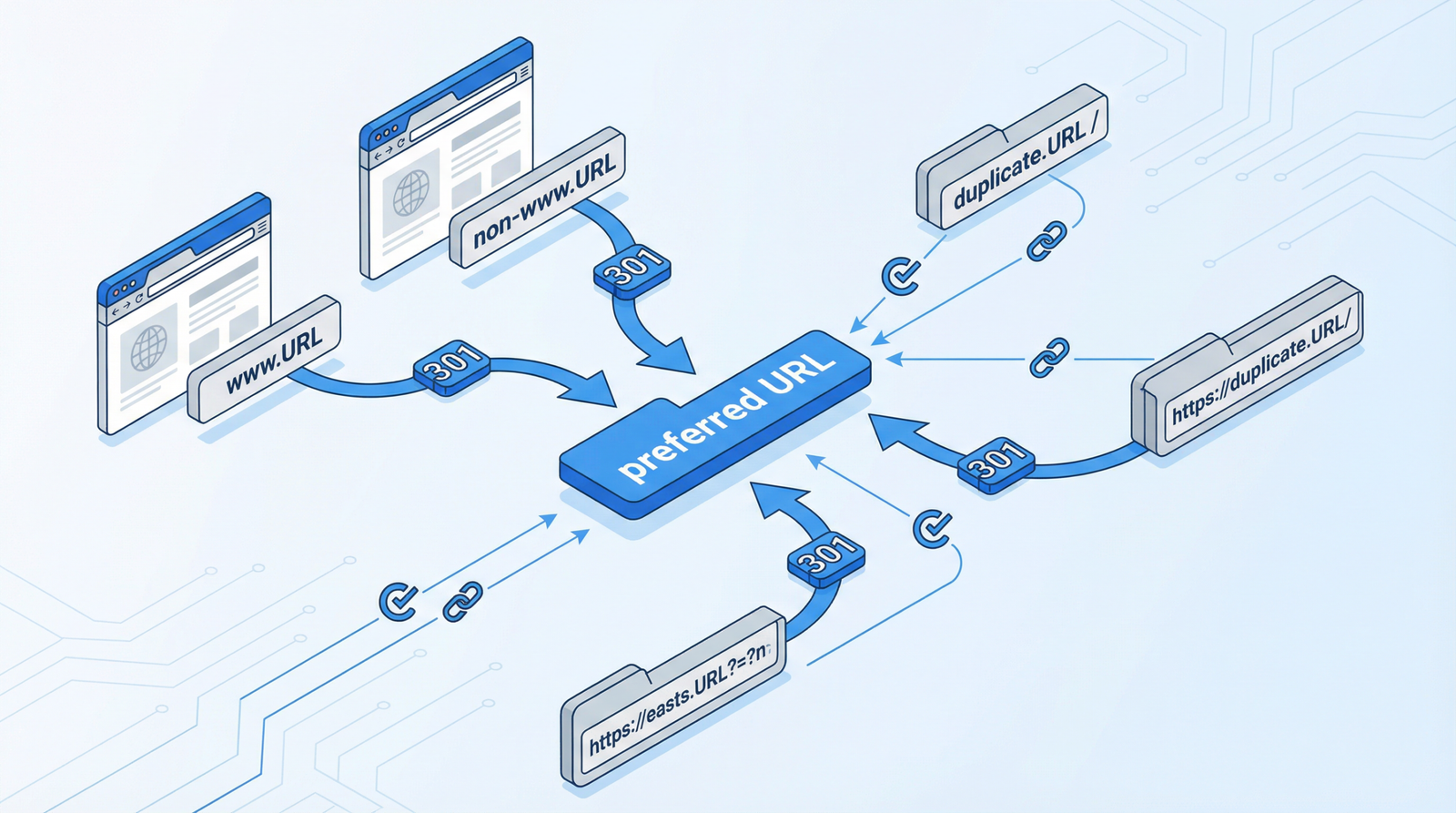
Implementing 301 (permanent) redirects is the gold standard for handling URL changes. Here are several approaches, from automated solutions to manual configurations:
1. WordPress Automatic Redirects for Changed Slugs
For WordPress users, there are built-in mechanisms and plugins that can help. While the provided code snippet offers a custom solution, many modern WordPress setups and SEO plugins handle this automatically. However, if you need a custom solution, the following PHP code, added to your theme’s functions.php file or a custom plugin, can automatically redirect old post/page slugs to new ones:
// Automatically redirect old slugs to new ones
function redirect_old_slugs() {
    global $wp_query;
    if (is_404()) {
        $request_uri = $_SERVER["REQUEST_URI"];
        // Try to find post by old slug
        $post = get_page_by_path(basename($request_uri), OBJECT, 'post');
        if (!$post) {
            $post = get_page_by_path(basename($request_uri), OBJECT, 'page');
        }
        if ($post) {
            wp_redirect(get_permalink($post->ID), 301);
            exit;
        }
    }
}
add_action('template_redirect', 'redirect_old_slugs');
Note: While this code can be useful, it’s generally recommended to use a dedicated redirect plugin for better management and performance, especially on high-traffic sites.
2. Manual Redirect Implementation for Moved Content
For specific, planned content moves, you can implement manual redirects. This is particularly useful for a limited number of critical URLs. The following PHP code can be adapted for your WordPress site:
// Specific redirects for moved content
function handle_moved_content_redirects() {
    $redirects = array(
        '/old-about-page/' => '/about/',
        '/blog/old-post-slug/' => '/blog/new-post-slug/',
        '/products/discontinued-item/' => '/products/',
        '/old-category/' => '/new-category/',
    );
    $request_uri = $_SERVER["REQUEST_URI"];
    if (array_key_exists($request_uri, $redirects)) {
        wp_redirect(home_url($redirects[$request_uri]), 301);
        exit;
    }
}
add_action('template_redirect', 'handle_moved_content_redirects');
3. Leverage Redirect Management Plugins
For most WordPress users, plugins offer the most user-friendly and robust solution for managing redirects. These tools often include features like 404 monitoring, automatic redirect suggestions, and easy bulk redirect creation. Popular choices include:
- Redirection: A powerful and free plugin that tracks 404 errors and helps you manage 301 redirects. It’s an essential tool for any WordPress site.
- Rank Math: A comprehensive SEO plugin that includes a robust redirect manager, allowing you to handle redirects directly within your SEO settings.
- Yoast SEO Premium: While the free version doesn’t include a redirect manager, the premium version offers this functionality, integrating it with other SEO features.
4. Server-Level Redirects (.htaccess)
For non-WordPress sites or for more advanced server-level control, you can implement redirects directly in your .htaccess file (for Apache servers). This method is highly efficient as redirects are handled before WordPress or other applications load. However, it requires careful implementation as errors can break your site.
# Redirect old URLs to new ones
Redirect 301 /old-page.html /new-page/
Redirect 301 /old-category/ /new-category/
Redirect 301 /blog/2020/01/old-post/ /blog/new-post/

# Redirect entire directories
RedirectMatch 301 ^/old-directory/(.*)$ /new-directory/$1
Important: Always back up your .htaccess file before making changes. For Nginx servers, similar configurations can be made in the Nginx configuration file.
Best Practices for URL Changes in 2025/2026
To avoid the pitfalls of missing redirects, adopt these best practices:
- Plan Ahead: Before making any URL changes, create a comprehensive redirect plan. Map out all old URLs to their new destinations.
- Use 301 Redirects Exclusively: Always use 301 (permanent) redirects for moved content. Avoid 302 (temporary) redirects unless the move is truly temporary and you intend to revert to the old URL.
- Monitor 404 Errors Diligently: Regularly check Google Search Console and your analytics for 404 errors. The sooner you catch them, the sooner you can fix them.
- Update Internal Links: After implementing redirects, make sure to update all internal links on your website to point to the new URLs directly. This reduces the load on your server and ensures optimal crawl efficiency.
- Inform External Sites (When Possible): For high-value backlinks, consider reaching out to the linking websites to inform them of your URL change and request an update to their link. This helps preserve link equity.
- Test Your Redirects: After implementing redirects, thoroughly test them to ensure they are working correctly. Use online redirect checkers or crawl your site again.
Conclusion
Missing redirects are more than just a minor technical glitch; they are a significant impediment to your website’s SEO performance and user experience. In the fast-paced digital environment of 2025/2026, a proactive and meticulous approach to URL management, centered around robust 301 redirect strategies, is non-negotiable. By diligently implementing and monitoring your redirects, you can safeguard your search rankings, preserve link equity, and ensure a seamless, positive experience for every visitor to your site. Don’t let the silent killer of SEO undermine your online success.