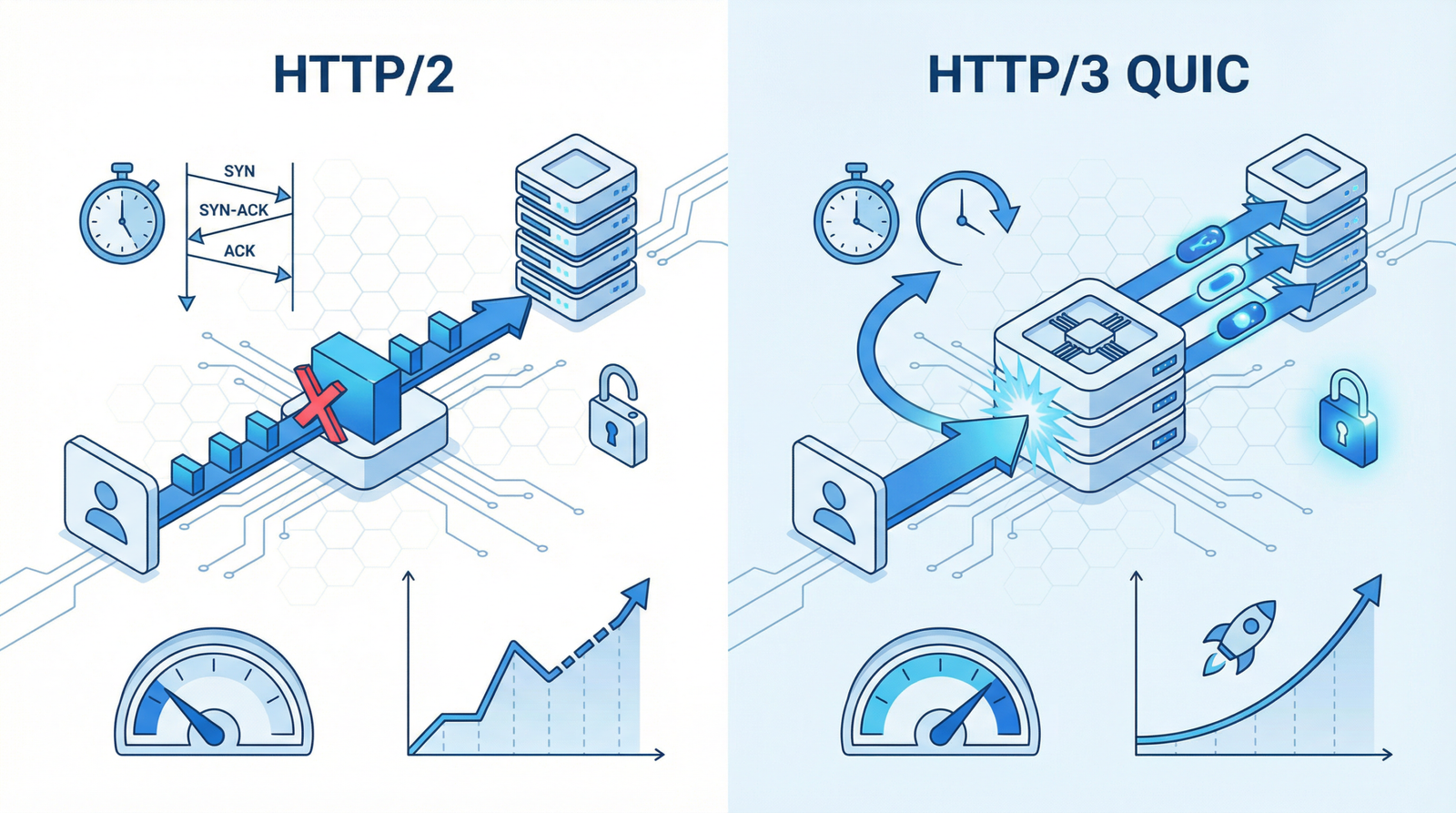
Beyond HTTP/2: Why HTTP/3 is Your Next Performance Frontier
The Evolution of Web Protocols: From HTTP/1.1 to the QUIC Era
\n
In the relentless pursuit of a faster web, communication protocols have undergone significant transformations. For years, HTTP/1.1 was the workhorse, but its inherent limitations—like connection limits and the dreaded head-of-line blocking—meant that web pages often loaded slower than desired. Then came HTTP/2, a game-changer that introduced multiplexing, allowing multiple resources to be loaded simultaneously over a single connection. This was a monumental leap, making HTTP/2 the baseline for modern web performance.
\n
However, the web never stands still. As of 2025/2026, the focus has decisively shifted to HTTP/3, built upon the innovative QUIC transport protocol. With approximately 95% browser support, HTTP/3 is no longer a futuristic concept but a present-day necessity for optimal website speed and reliability.
\n
The Hidden Costs of Outdated Protocols
\n
Sticking with older protocols like HTTP/1.1, or even relying solely on HTTP/2 without considering HTTP/3, can significantly hinder your website\’s performance and user experience. Here\’s why:
\n
\n
Slower Page Load Times: HTTP/1.1\’s sequential request processing and connection limitations directly translate to sluggish loading. While HTTP/2 improved this, HTTP/3 goes further, especially in challenging network conditions.
\n
Poor User Experience: Users expect instant gratification. A slow website leads to frustration, higher bounce rates, and a negative perception of your brand.
\n
Negative SEO Impact: Search engines, particularly Google, prioritize user experience. Core Web Vitals metrics, which heavily influence search rankings, are directly impacted by page load speed. Failing to adopt modern protocols can put you at a disadvantage.
\n
Increased Operational Costs: Less efficient protocols can lead to higher server resource utilization and increased bandwidth consumption, indirectly impacting your hosting costs.
\n
\n
How to Verify Your Website\’s Protocol Status
\n
Before you can fix a problem, you need to confirm it exists. Here\’s how to check which HTTP protocol your website is currently using:
\n
\n
Online HTTP/3 Test Tools: Numerous online services can quickly analyze your website and report its protocol support. A quick search for \n”HTTP/3 test” will yield several options.
\n
Browser Developer Tools: Most modern browsers offer developer tools that provide detailed network information. In Chrome DevTools, navigate to the Network tab. If a request is served over HTTP/2, you\’ll see “h2” in the Protocol column. For HTTP/3, you might see “h3” or “quic”.
\n
Command Line Tools: For a more technical check, you can use command-line tools like curl. For example, curl -I --http3 https://yourwebsite.com can show if HTTP/3 is supported.
\n
\n
Actionable Steps: Upgrading to HTTP/3 (QUIC)
\n
Migrating to HTTP/3 is a critical step for future-proofing your website\’s performance. Here\’s a step-by-step guide:
\n
\n
Ensure HTTPS is Enabled: HTTP/3, like HTTP/2, absolutely requires a secure connection (HTTPS). If you haven\’t already, secure your website with an SSL/TLS certificate. This is non-negotiable for modern web performance and security.
\n
Contact Your Hosting Provider: The easiest way to enable HTTP/3 is often through your hosting provider. Many modern hosts offer HTTP/3 (QUIC) support as a standard feature. Inquire about their plans for HTTP/3 adoption and how to enable it for your site.
\n
Utilize a Content Delivery Network (CDN): CDNs like Cloudflare, Akamai, and Fastly are at the forefront of HTTP/3 adoption. By routing your traffic through a CDN, you can often gain HTTP/3 support with minimal configuration on your end. Cloudflare, for instance, has been a strong proponent and early adopter of QUIC.
\n
Modern Hosting Providers: Consider migrating to hosting providers that prioritize and natively support HTTP/3. Look for providers that actively promote their HTTP/3 (QUIC) capabilities. Examples include:
\n
Cloudflare: Offers comprehensive HTTP/3 support as part of its network services.
\n
Google Cloud: Provides HTTP/3 support for its load balancers and other services.
\n
AWS: Supports HTTP/3 on its CloudFront CDN.
\n
LiteSpeed Web Server: A popular alternative to Apache or Nginx that has excellent native HTTP/3 support.
\n
\n
\n
Self-Managed Servers (VPS/Dedicated): If you manage your own server, enabling HTTP/3 requires more technical configuration. This typically involves:
\n
Updating your web server software: Ensure you are running the latest versions of Nginx, Apache, or LiteSpeed, as HTTP/3 support is continually being improved.
\n
Configuring QUIC: This involves enabling the QUIC module and setting up the necessary UDP ports (HTTP/3 runs over UDP, not TCP).
\n
SSL/TLS Configuration: Verify your SSL/TLS setup is robust and up-to-date.
\n
\n
\n
\n
The Future is Faster: Embrace HTTP/3 Today
\n
Ignoring the shift to HTTP/3 is akin to ignoring the importance of mobile responsiveness a decade ago. The web is constantly evolving, and staying ahead means embracing the latest protocols that deliver speed, security, and a superior user experience. By upgrading to HTTP/3, you\’re not just optimizing your website; you\’re investing in its future success and ensuring it remains competitive in an increasingly demanding digital landscape.
\n
Ready to accelerate your website? Start by checking your current protocol status and then work with your hosting provider or CDN to make the leap to HTTP/3. Your users (and your search rankings) will thank you.