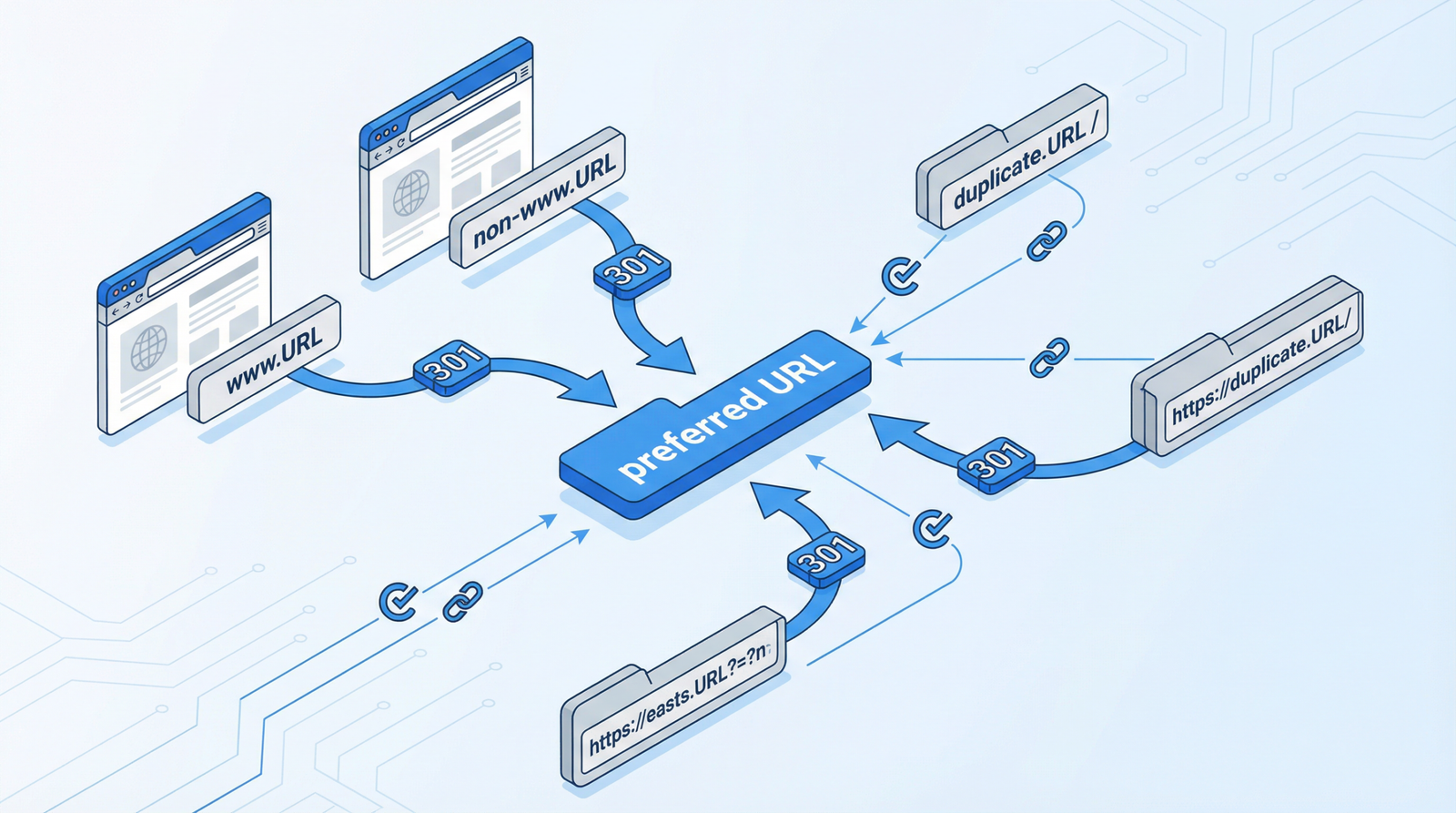
Redirect Chains: The Hidden Performance Killer You Can’t Afford to Ignore in 2025/2026
Redirect chains are a silent assassin of website performance and SEO. In the fast-evolving digital landscape of 2025/2026, their impact is more critical than ever. If your website is suffering from slow loading times, wasted crawl budget, or diluted link equity, redirect chains might be the culprit.
What Exactly is a Redirect Chain?

Imagine you’re trying to reach a destination, but instead of a direct route, you’re sent from one point to another, and then to another, before finally arriving. That’s precisely what happens with a redirect chain. It occurs when URL A redirects to URL B, which then redirects to URL C, creating multiple unnecessary hops before the user or search engine bot reaches the final, intended destination.
Why Redirect Chains Are Detrimental to Your Website’s Health (2025/2026 Perspective)
In the current web environment, where user experience and efficiency are paramount, redirect chains pose several significant threats:
- Performance Degradation: Each redirect adds latency, increasing the time it takes for a page to load. This directly impacts Core Web Vitals, particularly Largest Contentful Paint (LCP), which is a crucial ranking factor. Users expect instant gratification, and slow pages lead to higher bounce rates and lower conversions.
- Wasted Crawl Budget: Search engine bots, like Googlebot, have a finite amount of resources (crawl budget) they allocate to crawl your site. Every time they encounter a redirect chain, they spend valuable budget following multiple redirects instead of discovering and indexing new or updated content. This is especially critical for large sites with frequently changing content.
- Diluted Link Equity (PageRank Sculpting): Link equity, often referred to as
PageRank, is passed through internal and external links. When a redirect chain exists, some of this valuable link equity can be lost or diluted across the multiple hops, weakening the authority of your final destination page. This is a persistent issue that remains highly relevant in 2025/2026. - Confused Search Engines: Redirect chains can sometimes confuse search engines about the canonical version of a page, potentially leading to indexing issues or the wrong URL being displayed in search results.
How to Identify Redirect Chains on Your Website
Detecting redirect chains is the first step towards remediation. Here are several effective methods:
- Screaming Frog SEO Spider: This desktop tool is invaluable for comprehensive site crawls. It can identify all redirects, including chains, and provide detailed reports. Look for URLs with multiple hops in the ‘Redirect Chains’ report.
- Online Redirect Checker Tools: For individual URLs, tools like httpstatus.io or similar redirect checkers can quickly show the full redirect path, including all intermediate URLs and their HTTP status codes.
- Google Search Console: Regularly check the ‘Crawl Errors’ or ‘Pages’ section in Google Search Console. While it might not explicitly flag chains, it can highlight URLs that Googlebot struggles to access, which could be a symptom of complex redirect issues.
- Browser Developer Tools: Open your browser’s developer tools (usually by pressing F12), go to the ‘Network’ tab, and observe the requests when navigating to a suspected URL. You’ll see the sequence of redirects (301, 302 status codes) before the final page loads.
Actionable Steps to Fix and Optimize Redirect Chains
Once identified, fixing redirect chains is crucial for improving performance and SEO. The core principle is to always use direct redirects.
1. Implement Direct Redirects
Instead of:
old-page.html → new-page.html → final-page.html
Implement:
old-page.html → final-page.html
new-page.html → final-page.html
This ensures a single hop to the final destination. Here’s how you can do it:
- Apache (.htaccess):
apache

    Redirect 301 /old-page.html https://example.com/final-page.html

Redirect 301 /new-page.html https://example.com/final-page.html - Nginx Server Blocks:
nginx

    location /old-path/ {

        return 301 https://example.com/new-path/;

    }

    location /another-old-path/ {

        return 301 https://example.com/final-destination/;

    }
2. WordPress Redirect Management
For WordPress users, managing redirects can be done through plugins or custom code:
- Custom Code (functions.php): For specific, critical redirects, you can add code to your theme’s
functions.phpfile (or a custom plugin) to ensure direct redirects. However, be cautious with this approach as errors can break your site.
php

    function fix_redirect_chains_custom() {

        if ($_SERVER['REQUEST_URI'] === '/old-category/old-post/') {

            wp_redirect('https://example.com/new-category/new-post/', 301);

            exit;

        }

    }

add_action('template_redirect', 'fix_redirect_chains_custom'); - Redirect Plugins: These offer a user-friendly interface for managing redirects and are highly recommended for most WordPress sites:
- Redirection: A powerful and comprehensive plugin for managing 301 redirects, 404 errors, and generally cleaning up any loose ends your site may have. It can log all redirects and 404s, helping you identify issues.
- 301 Redirects: A simpler plugin for basic redirect management.
- Safe Redirect Manager: A developer-friendly option that stores redirects as custom post types, making them easier to manage programmatically.
3. Establish a Regular Audit and Cleanup Process
Redirects are not a set-it-and-forget-it task. Implement a routine to maintain a healthy redirect profile:
- Export Existing Redirects: Periodically export all redirects from your current setup (e.g., from your plugin, .htaccess, or server configuration).
- Map Final Destinations: For every original URL that redirects, clearly identify its ultimate, final destination. This mapping is crucial for creating direct redirects.
- Create Direct Redirects: Based on your mapping, implement direct 301 (permanent) redirects, bypassing any intermediate steps.
- Thorough Testing: After implementing changes, rigorously test all redirects to ensure they function as intended and lead to the correct final pages without errors.
- Continuous Monitoring: Use tools like Google Search Console, site crawlers, and analytics to monitor for any new broken links, 404 errors, or unexpected redirect chains that may arise.
Conclusion
In the competitive digital landscape of 2025/2026, every millisecond and every ounce of crawl budget counts. Redirect chains are an often-overlooked technical SEO issue that can significantly impede your website’s performance and search engine visibility. By proactively identifying and implementing direct redirects, you can ensure a smoother user experience, optimize crawl budget, preserve link equity, and ultimately contribute to a healthier, higher-ranking website. Don’t let redirect chains hold your site back!