Stop Guessing, Start Hinting: How Resource Hints Supercharge Your Website Speed
The Hidden Speed Killers: Missing Resource Hints
In the relentless pursuit of a perfect Core Web Vitals score in 2025 and beyond, web performance optimization has become a game of milliseconds. While caching and image compression are standard practice, many developers overlook a powerful set of browser directives: Resource Hints. If your site isn’t utilizing dns-prefetch, preconnect, prefetch, and preload, you are leaving performance on the table.
What Are Resource Hints and Why Are They Missing?
Resource hints are simple HTML tags that tell the browser what it will need to do in the near future. Instead of waiting for the browser to discover a required external font, script, or stylesheet during the parsing process, resource hints allow you to proactively establish connections or download assets ahead of time.
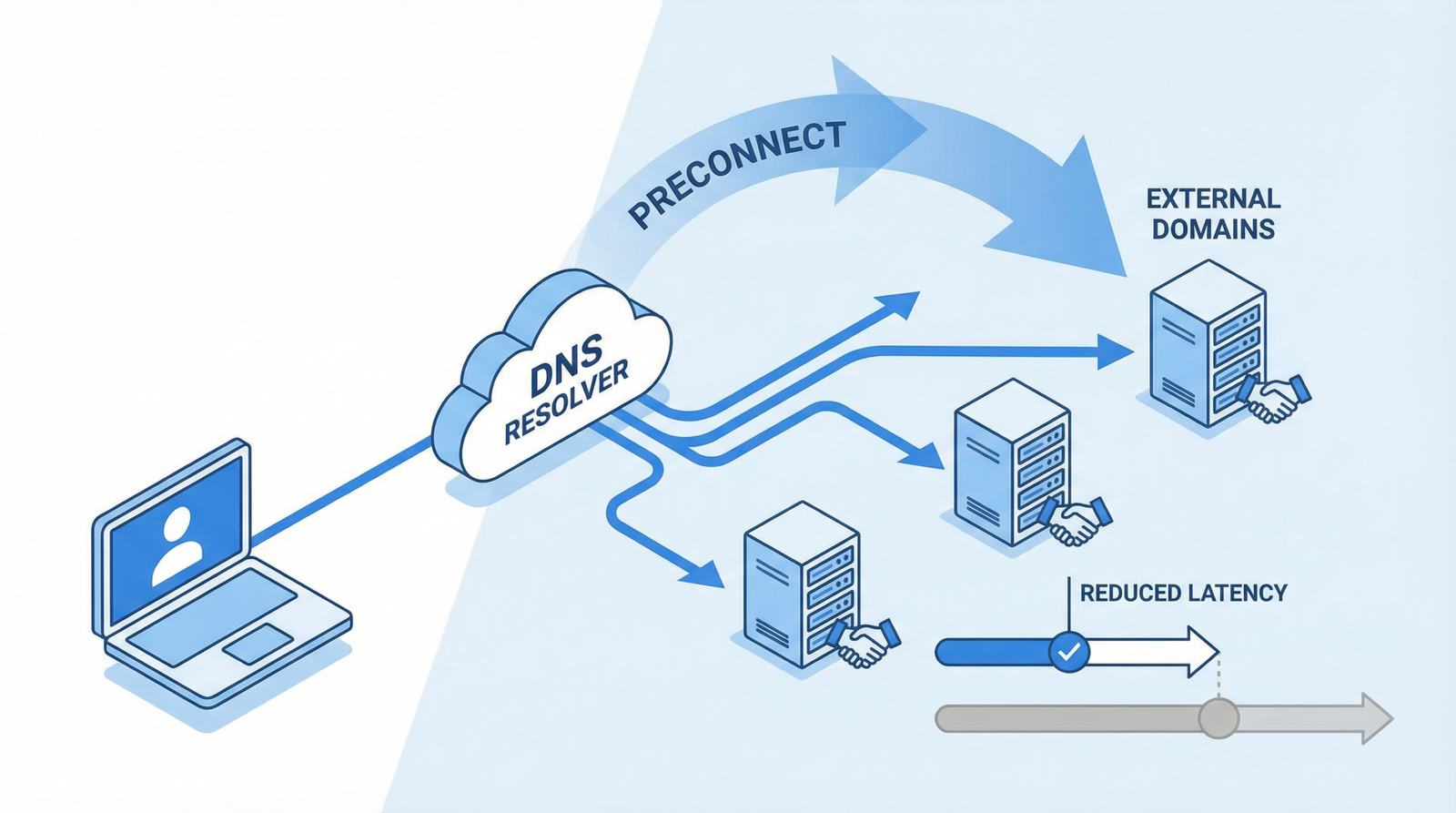
The problem occurs when a website relies heavily on third-party domains (like Google Fonts, analytics, or CDNs) but fails to provide these hints. The browser is forced to resolve DNS, perform TLS handshakes, and establish TCP connections sequentially, causing significant delays in rendering.
Why Missing Resource Hints Hurt Your Site
Failing to optimize resource hints creates a domino effect of performance bottlenecks:
Slower Connection Establishment: Every time your site connects to a new external domain, it takes time. Without hints, these connections happen at the last possible moment, delaying the download of critical assets.
Missed Preloading Opportunities: Critical resources like hero images or main stylesheets are discovered late, pushing back your Largest Contentful Paint (LCP) and First Contentful Paint (FCP).
Sluggish Subsequent Page Loads: If you aren’t prefetching resources for the pages your users are most likely to visit next, you’re missing out on the “instant load” experience that modern users expect.
How to Check if You Have This Problem
Diagnosing missing resource hints is straightforward. Here is how you can audit your site:
Inspect the Page Source: Right-click on your webpage and select “View Page Source.” Look inside the <head> section for <link rel="dns-prefetch">, <link rel="preconnect">, or <link rel="preload"> tags. If they are missing or sparse, you have room for improvement.
Analyze the Network Tab: Open Chrome DevTools (F12), navigate to the Network tab, and reload the page. Look at the “Waterfall” column. If you see long DNS lookup or connection times for critical third-party domains, resource hints can help.
Simulate Slow Networks: In the DevTools Network tab, throttle your connection to “Fast 3G” or “Slow 3G.” This will magnify connection delays, making it obvious which external resources are blocking your render.
Run a Lighthouse Audit: Google Lighthouse will explicitly flag missing resource hints under the “Preconnect to required origins” or “Preload key requests” recommendations.
How to Fix It: A Step-by-Step Guide
Implementing resource hints requires a strategic approach. You don’t want to hint at everything, as that can overwhelm the browser. Here is how to apply them effectively:
1. Understand the Four Main Strategies
dns-prefetch: Use this for domains you will definitely connect to, but where the exact resource isn’t known yet. It resolves the domain name to an IP address in the background.
preconnect: A step up from DNS prefetch. It resolves the DNS, establishes the TCP connection, and performs the TLS handshake. Use this for critical external resources (like fonts or essential APIs).
prefetch: Use this to download resources that are highly likely to be needed on the next page navigation (e.g., the next article in a series or the checkout page).
preload: Use this for critical resources needed on the current page (like your main CSS file, critical web fonts, or the LCP image). It tells the browser to fetch the resource immediately with high priority.
2. Implement Comprehensive Resource Hints (HTML)
Add the following tags to the <head> of your HTML document, customizing the URLs for your specific needs:
<!-- DNS prefetch for external domains -->
<link rel="dns-prefetch" href="//fonts.googleapis.com">
<link rel="dns-prefetch" href="//www.google-analytics.com">

<!-- Preconnect for critical external resources -->
<link rel="preconnect" href="https://fonts.gstatic.com" crossorigin>
<link rel="preconnect" href="https://cdn.example.com">

<!-- Preload for critical current page resources -->
<link rel="preload" href="/fonts/main.woff2" as="font" type="font/woff2" crossorigin>
<link rel="preload" href="/css/critical.css" as="style">

<!-- Prefetch for likely next page resources -->
<link rel="prefetch" href="/about">
<link rel="prefetch" href="/contact">
3. WordPress Implementation Tip
If you are using WordPress, you can dynamically add resource hints using the wp_head hook. Add this snippet to your theme’s functions.php file or a custom plugin:
function add_resource_hints() {
    // DNS prefetch for external domains
    echo '<link rel="dns-prefetch" href="//fonts.googleapis.com">';

    // Preconnect for critical resources
    echo '<link rel="preconnect" href="https://fonts.gstatic.com" crossorigin>';

    // Prefetch likely next pages based on current page
    if (is_home()) {
        echo '<link rel="prefetch" href="' . get_permalink(get_option('page_for_posts')) . '">';
    }

    if (is_single()) {
        // Prefetch related categories
        $categories = get_the_category();
        if ($categories) {
            echo '<link rel="prefetch" href="' . get_category_link($categories[0]->term_id) . '">';
        }
    }
}
add_action('wp_head', 'add_resource_hints', 1);
4. Advanced: Dynamic Prefetching Based on User Behavior
For a cutting-edge approach in 2025, you can use JavaScript to dynamically inject prefetch tags when a user hovers over a link. This ensures you only download resources when there is a high intent to navigate:
Resource hints are a low-effort, high-reward optimization strategy. By guiding the browser on how to prioritize and fetch assets, you can dramatically reduce load times, improve your Core Web Vitals, and deliver a seamless experience to your users. Audit your site today and start hinting your way to better performance!